Page Design
Customizing the Checkout and Confirmation Pages
This section details the items that are customisable on both the Checkout and Confirmation pages. You can use this Figma page to make any customizations that you require. Duplicate and modify the file as needed.The checkout page layout is fixed (it cannot be changed).
Checkout Page
The Checkout page shows the following:- Order Summary
- Billing and Shipping Addresses
- Shipping Method
- Billing Summary and Payment
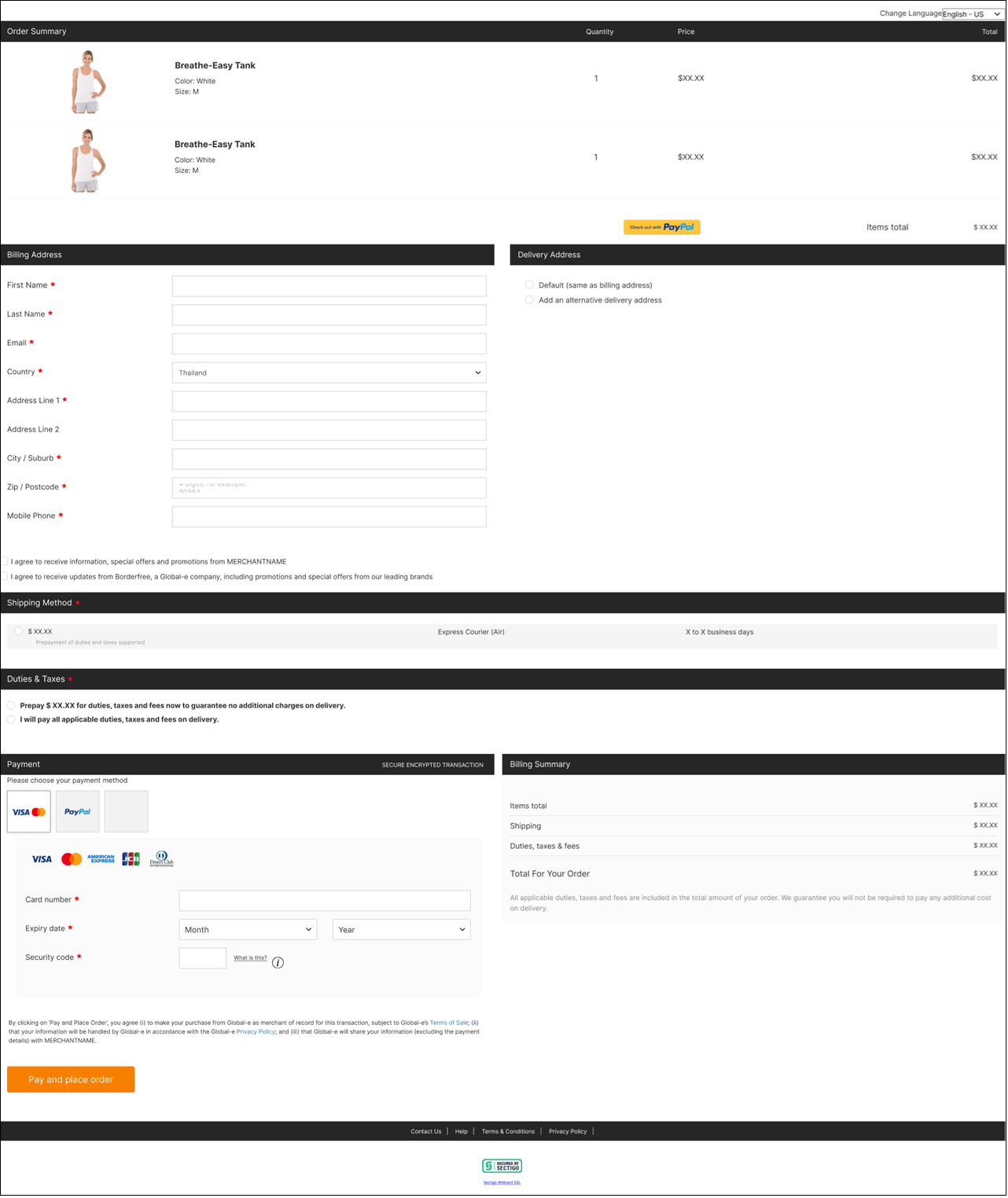



Checkout Page Layout Structure
This page describes the following page layout structures:Desktop Checkout Layout Structure
This section describes the layout (structure) of the Desktop Checkout page and customisable elements. The Desktop Checkout page has been divided into its main elements, with each region described separately. The table on the right describes the Order Summary area below: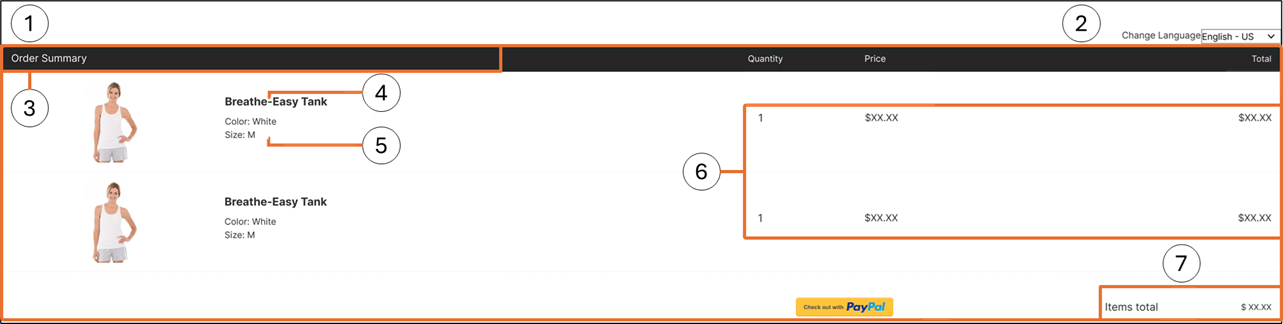
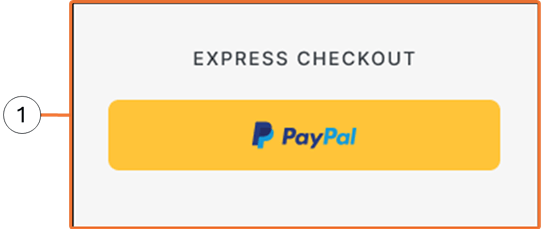
The table on the right describes the Express payment section:

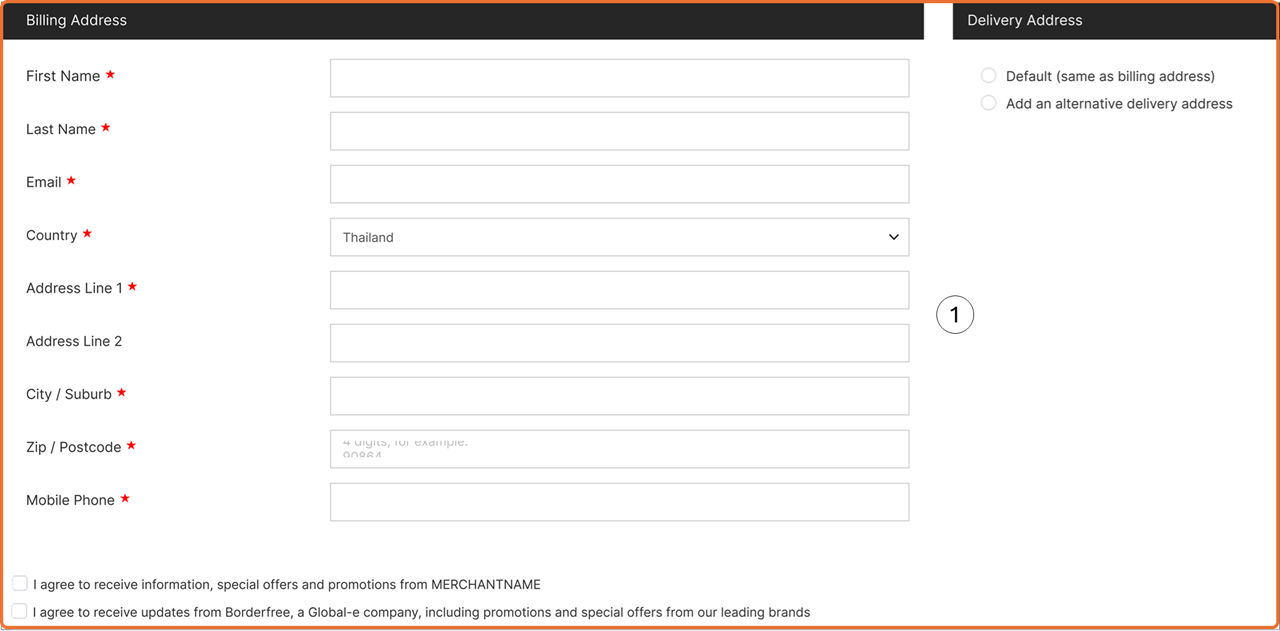
The table on the right describes the Billing Address area below:
The table on the right describes the Payment area below:
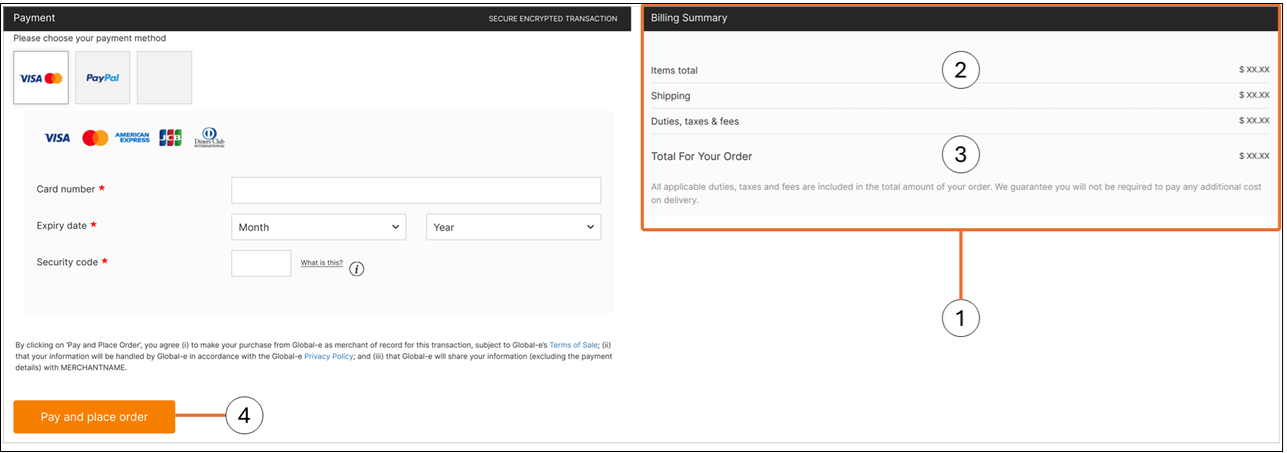
The Desktop checkout page layout is fixed (it cannot be changed).
Mobile Checkout Layout Structure
This section describes the layout (structure) of the Mobile Checkout page and customisable elements. The Mobile Checkout page has been divided into its main elements, with each region described separately. The table on the right describes the Order Summary area below: The table on the right describes the Order Summary area below: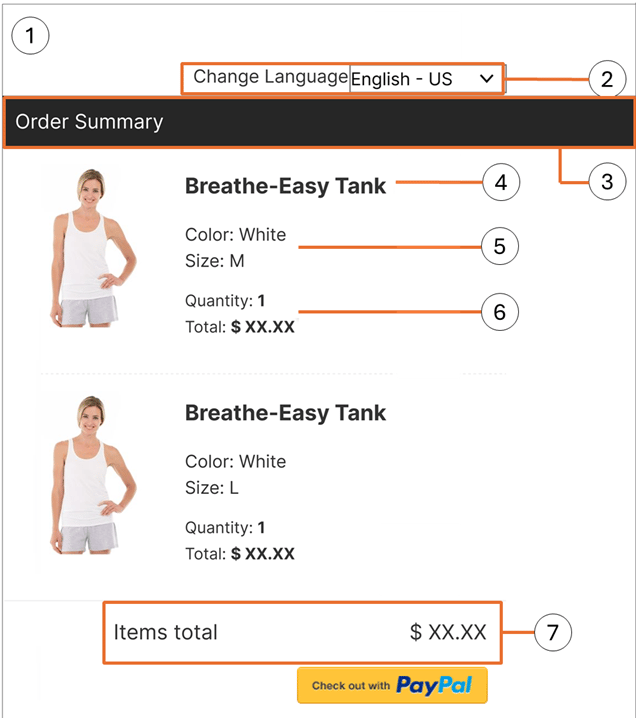
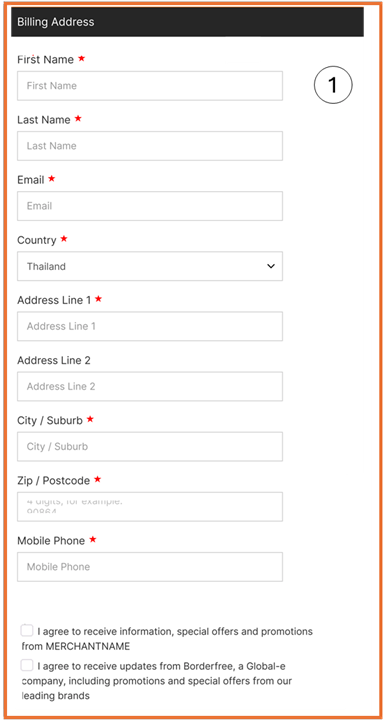
The table on the right describes the Billing/Delivery Address area below:
The table on the right describes the Billing Summary area below:
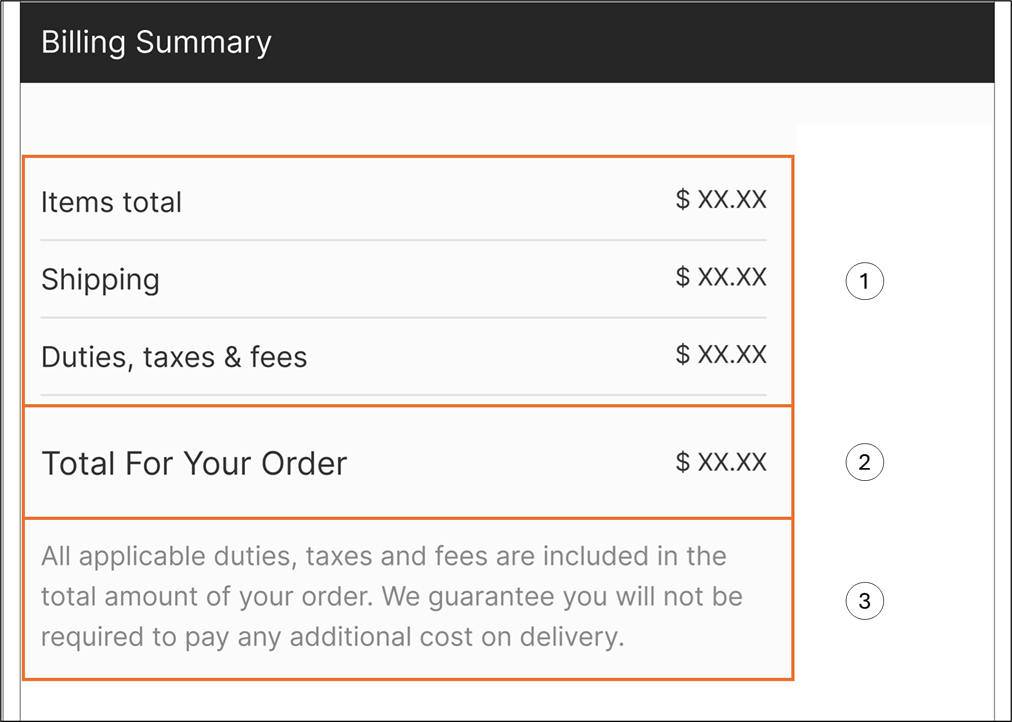
The Mobile checkout page layout is fixed (it cannot be changed).
Confirmation Page
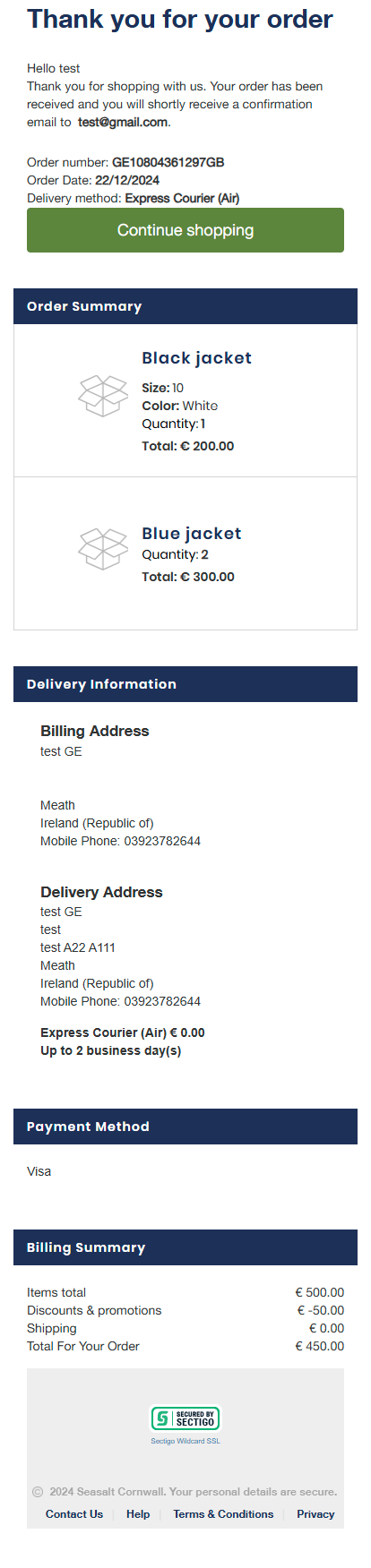
The Confirmation page shows the page displayed after a merchant’s order has been confirmed.The Confirmation page layout is fixed (it cannot be changed).
Desktop Confirmation Page Example
The following figure shows a Desktop Confirmation page example: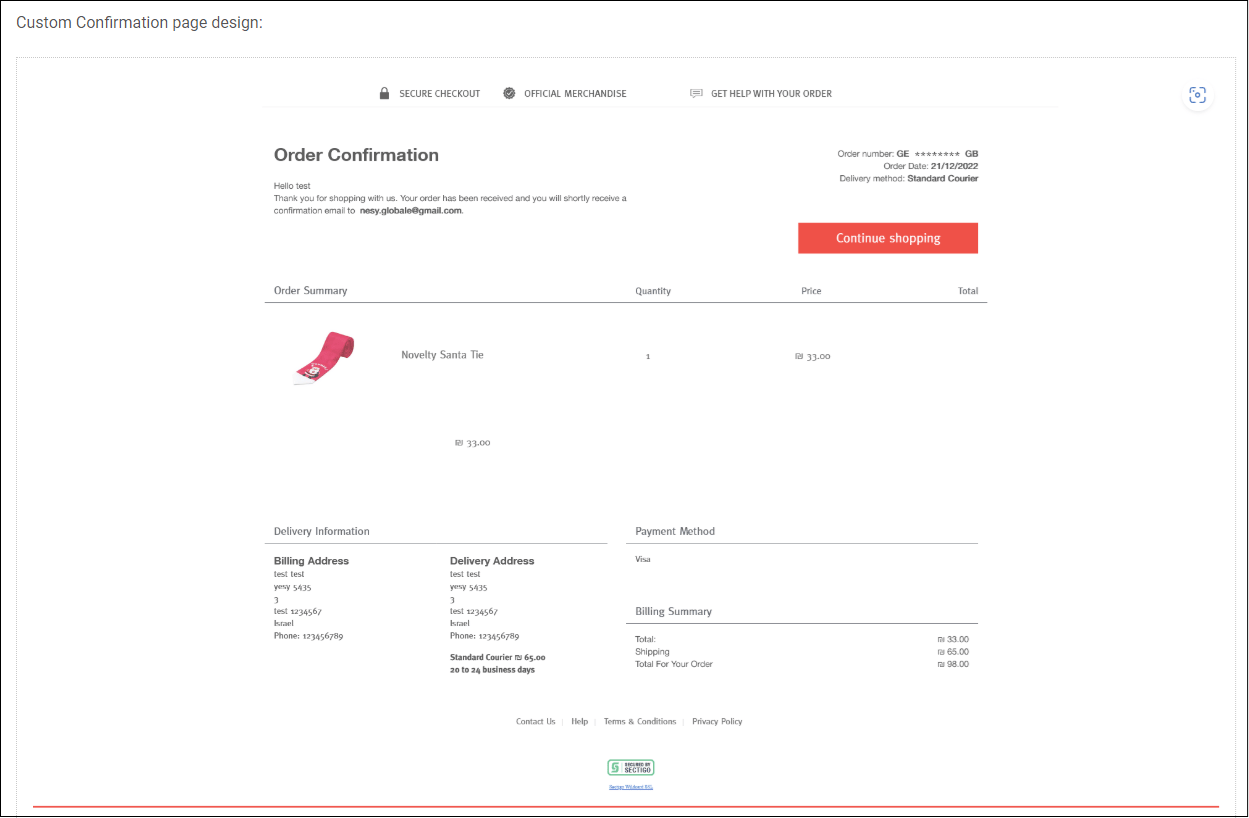
Mobile Confirmation Page Example
The following figure shows the Mobile confirmation page example: